
Nucleus® smartphone compatibility
Connect with the people you love and the world around you.



What you'll find on this page
- The benefits of direct smartphone connectivity.
- What the Nucleus® Smart App~ offers.
- Remote Care.
Step into a more connected world
Discover new ways to connect with your world. Experience the proven hearing benefits of streaming audio directly to your sound processor with the Cochlear® Nucleus® 8 and Kanso® 3 sound processors.1-4 Compatible with Apple or Android™ devices,* stream your favorite entertainment and phone calls directly to your sound processor without the need for extra accessories.
Ready for next-generation Bluetooth® LE Audio technology, the Nucleus 8 and Kanso 3 sound processors will make it easier to bring sound to you – in more places and from more devices than ever before.4-6,^,+ You'll be able to enjoy clear sound streamed directly from compatible mobile devices and, in the future, connect to what’s being broadcast at public venues such as airports, theaters, and conference centers supporting Auracast™ broadcast audio.
Convenient control with the Nucleus Smart App
Personalize your hearing experience in everyday moments with the Nucleus Smart App~. Using a compatible smart device,* fine tune your program settings to hear better in noisy situations, set daily goals for listening to speech and use the Hearing Tracker to check how long you spend in different environments.
For added peace of mind, use the Find My Processor feature to locate a misplaced sound processor, or set up notifications to alert you if the coil has come off the magnet.
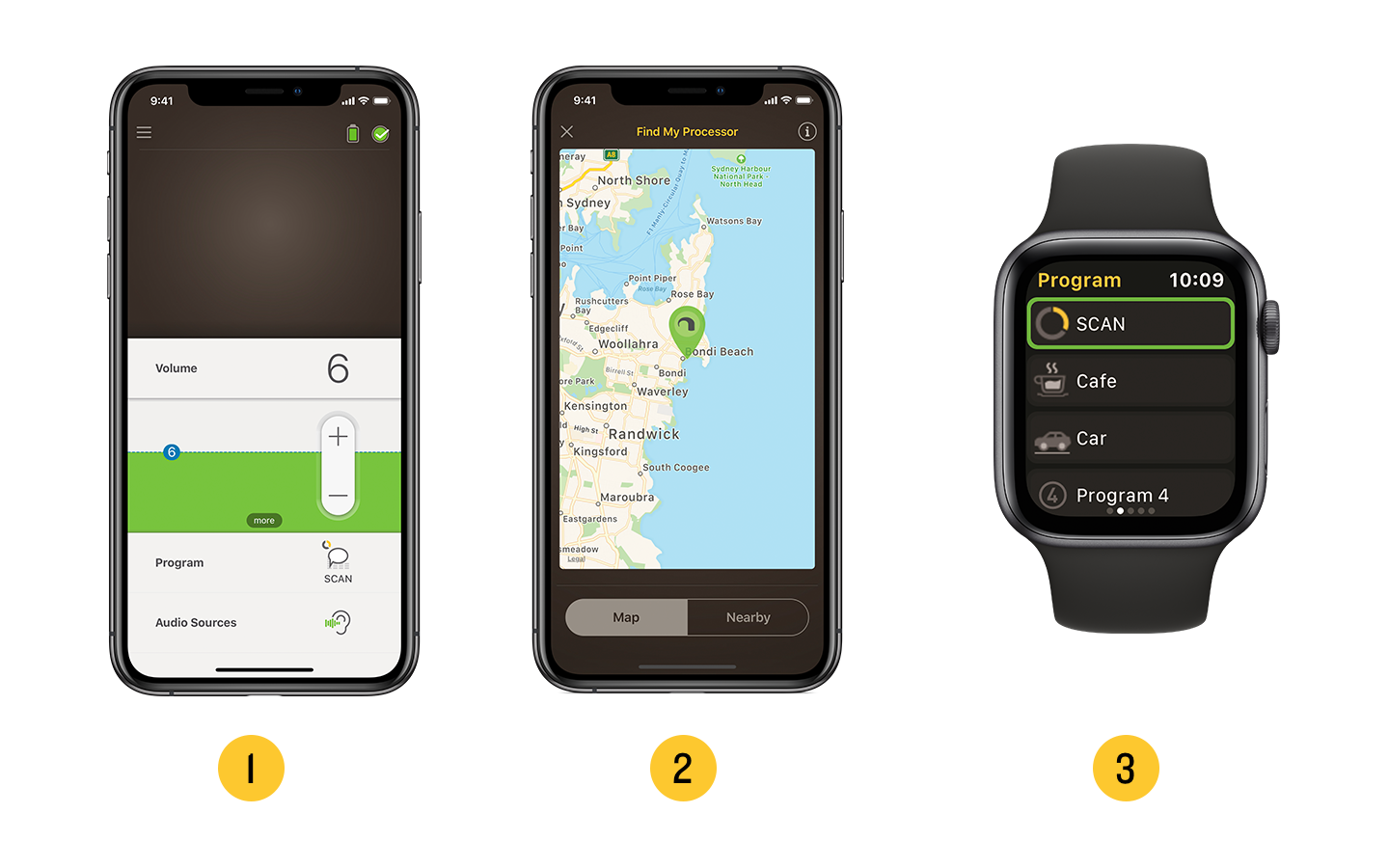
- Connect and adjust your sound processor settings
- Locate a misplaced sound processor
- Nucleus Smart App~ compatible with Apple Watch
To experience all the features of the Nucleus Smart App~, download for free via the Apple App Store or the Google Play store.

Quality care, anywhere
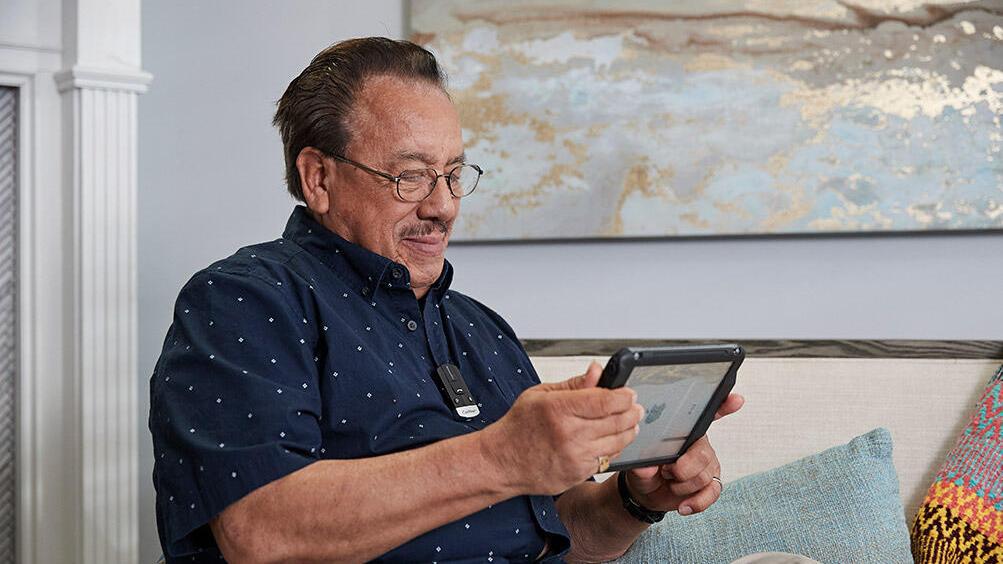
Keeping your hearing at its best is a priority so it's reassuring to know that there's easy access to care. Connect with your clinician when it's convenient for you, without a visit to the clinic. Once your clinician enrolls you in Remote Care,# you can use Cochlear Remote Check to complete a hearing review, or Cochlear Remote Assist to have a video appointment from home, at work, or when you're away.
Next time you need care, ask your clinician about Remote Care.

More information


Disclaimer
Please seek advice from your health professional about treatments for hearing loss. Outcomes may vary, and your health professional will advise you about the factors which could affect your outcome. Always follow the directions for use. Not all products are available in all countries. Please contact your local Cochlear representative for product information.
For a full list of Cochlear’s trademarks, please visit our Terms of Use page.
Apple, the Apple logo, Apple Watch, FaceTime, Made for iPad logo, Made for iPhone logo, Made for iPod logo, iPhone, iPad Pro, iPad Air, iPad mini, iPad and iPod touch are trademarks of Apple Inc., registered in the U.S. and other countries. App Store is a service mark of Apple Inc., registered in the U.S. and other countries.
Android, Google Play and the Google Play logo are trademarks of Google LLC.
The Bluetooth® and Auracast™ word mark and logos are registered trademarks owned by Bluetooth SIG, Inc. and any use of such marks by Cochlear Limited is under license.
~ The Cochlear Nucleus Smart App is available on App Store and Google Play. For compatibility information visit www.cochlear.com/compatibility.
* For information regarding the compatibility of Cochlear’s Sound Processors with Apple or Android devices, and True Wireless Devices, visit www.cochlear.com/compatibility
^ As Bluetooth LE Audio compatible devices become available, a firmware update may be required for you to use certain features. Auracast™ broadcast audio capability is subject to third party adoption of the Auracast protocol.
# For information regarding the sound processors, implants, operating systems and devices that are compatible with Cochlear's Remote Care services, visit www.cochlear.com/compatibility. Remote Check and Remote Assist for Nucleus sound processors are intended for ages 6 and older. Remote Check and Remote Assist features are only visible and accessible if they are enabled by a clinician. Clinicians should consider the suitability of the feature before enabling Remote Check and Remote Assist. Remote Check does not replace clinical care and does not involve remote programming of the sound processor. Only available at clinics that have enrolled in Remote Care.
+ LE Audio is not compatible with certain bilateral and bimodal configurations. Please refer to the compatibility details at www.cochlear.com/compatibility.
References
- Wolfe J, et al. Evaluation of a wireless audio streaming accessory to improve mobile telephone performance of cochlear implant users. International Journal of Audiology. 2016;55(2):75-82
- Wolfe J, et al. Improving hearing performance for cochlear implant recipients with use of a digital, wireless, remote-microphone, audio-streaming accessory. J Am Acad Audiol. 2015 Jun;26(6):532-9.
- Chris D. Warren, Esti Nel & Paul J. Boyd (2019): Controlled comparative clinical trial of hearing benefit outcomes for users of the Cochlear™ Nucleus® 7 Sound Processor with mobile connectivity, Cochlear Implants International, DOI: 10.1080/14670100.2019
- Cochlear Limited. D1631375 Nucleus 8 Sound Processor Product Definition. 2022, Oct.
- Hunn N. Introducing Bluetooth® LE Audio [Internet]. [cited 2022 Jan]. Available from: https://www.bluetooth.com/learn-about-bluetooth/recent-enhancements/le-audio/
- A Technical Overview of LC3 [Internet]. Bluetooth® Technology Website. [cited 2022 Feb 28]. Available from: https://www.bluetooth.com/blog/a-technical-overview-of-lc3